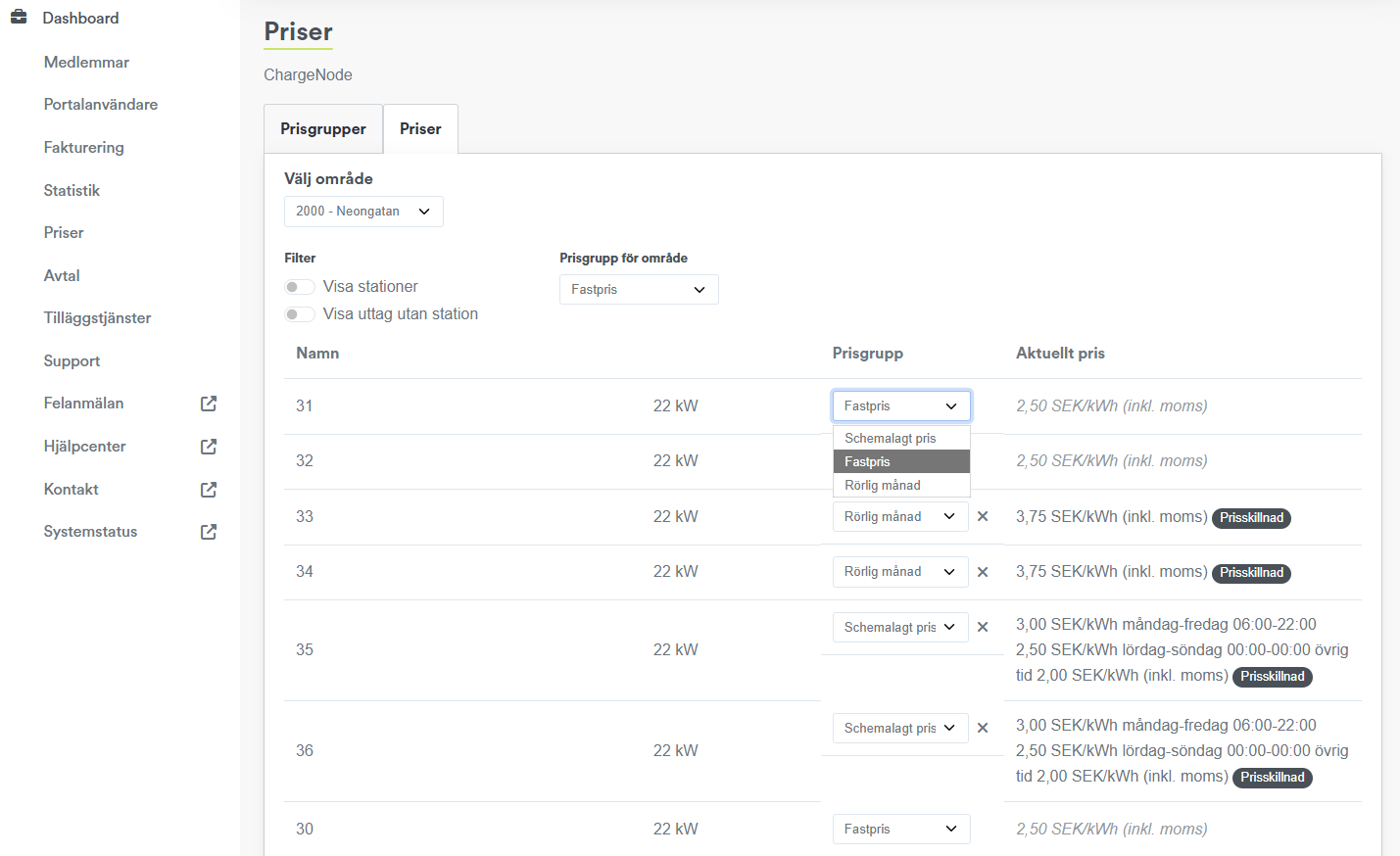
In this view you can see, adjust and update prices for your areas.
Price Groups
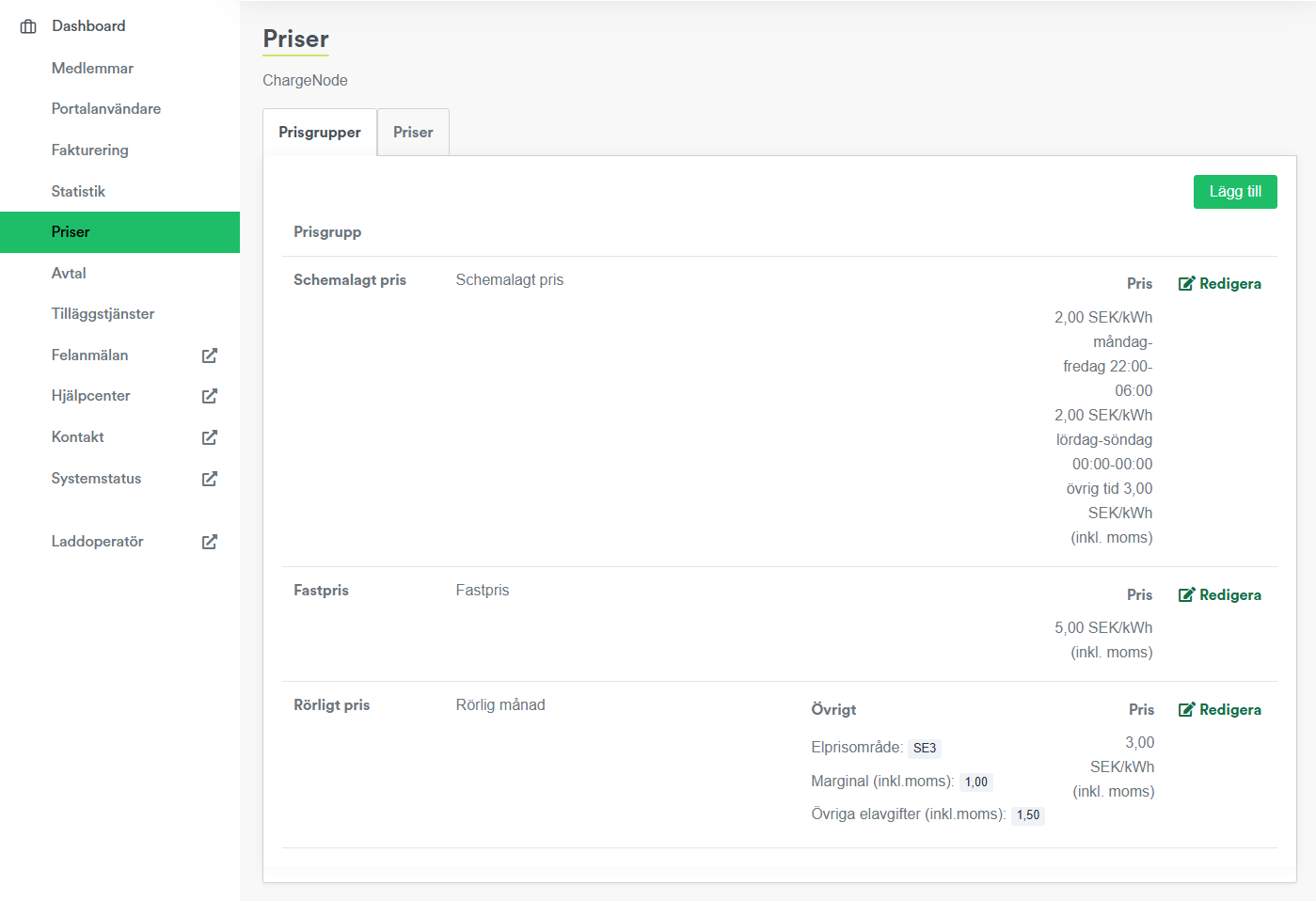
Under "Price Groups" you can easily create different price groups that can be assigned to your area or specific outlets. You choose which type of pricing model you want to use: fixed, variable or scheduled. You can create as many price groups as you like, giving you full flexibility in your pricing.
Video - Price Groups
Fixed Price
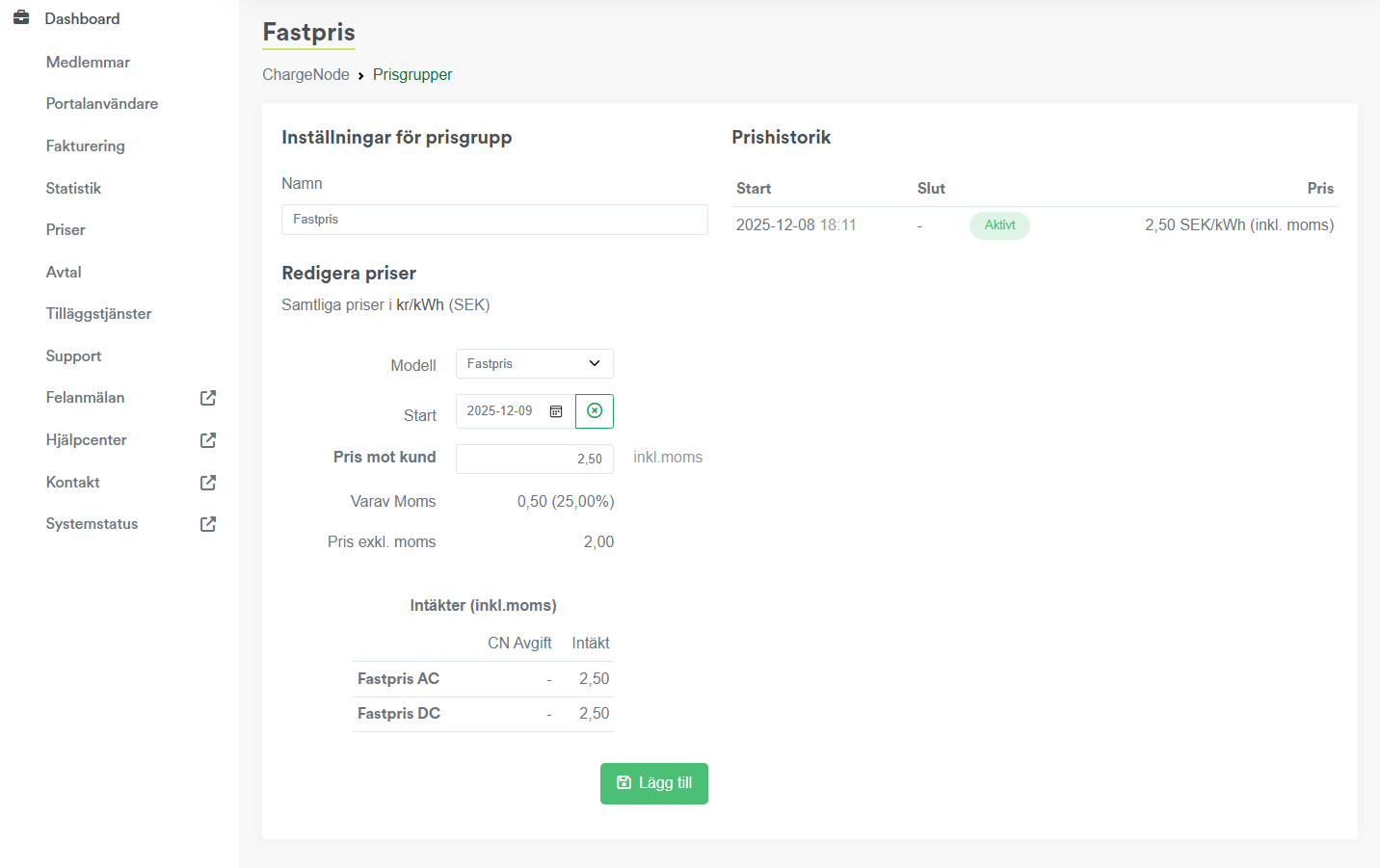
The price is stated per kWh and includes VAT. You have the option to decide when the price change will take effect, either immediately or from a chosen future date, for example at the turn of a month. If a future price change has been scheduled, it will be displayed as an upcoming change on the right side of this view.
The price you set is what the customer will be charged and includes the CN fee. Under the "Revenue" column you can see what revenue is generated for your part.
Video - Fixed Price
Variable Month
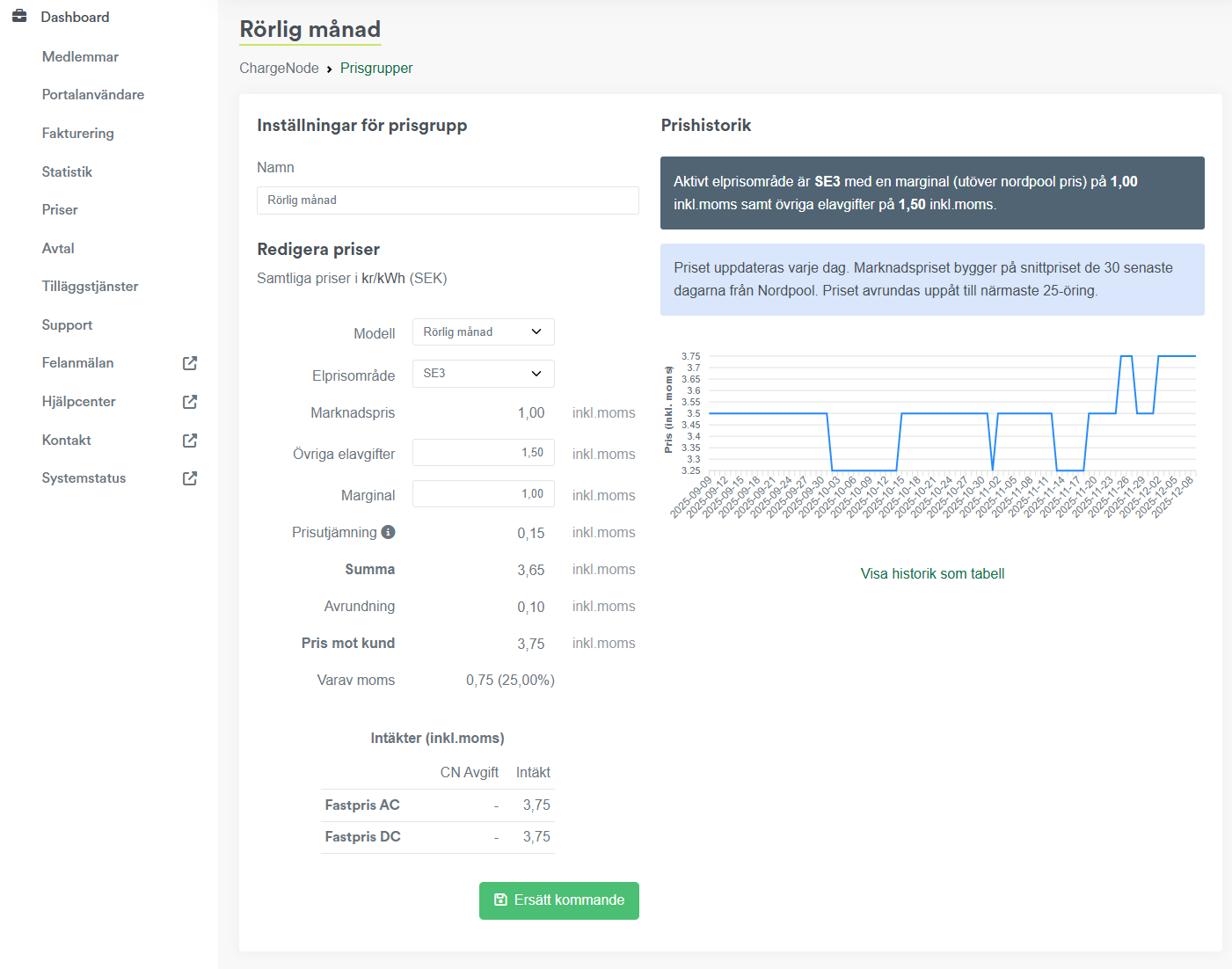
"Variable Month" gives you the opportunity to follow Nordpool's variable price. For the variable price to be correct, an electricity price area (SE1, SE2, SE3 or SE4) must be selected. You can check with your electricity supplier or use this page https://nätområden.se/. To set the correct price, fill in the other electricity charges specified on your electricity invoice as well as the desired margin (the markup you want to add on top of the variable price + charges). The price for the charging customer is updated daily based on a 30-day average from Nordpool. It is displayed in the portal and in the app, and is rounded to the nearest 25 öre.
Video - Variable Month
Scheduled Price
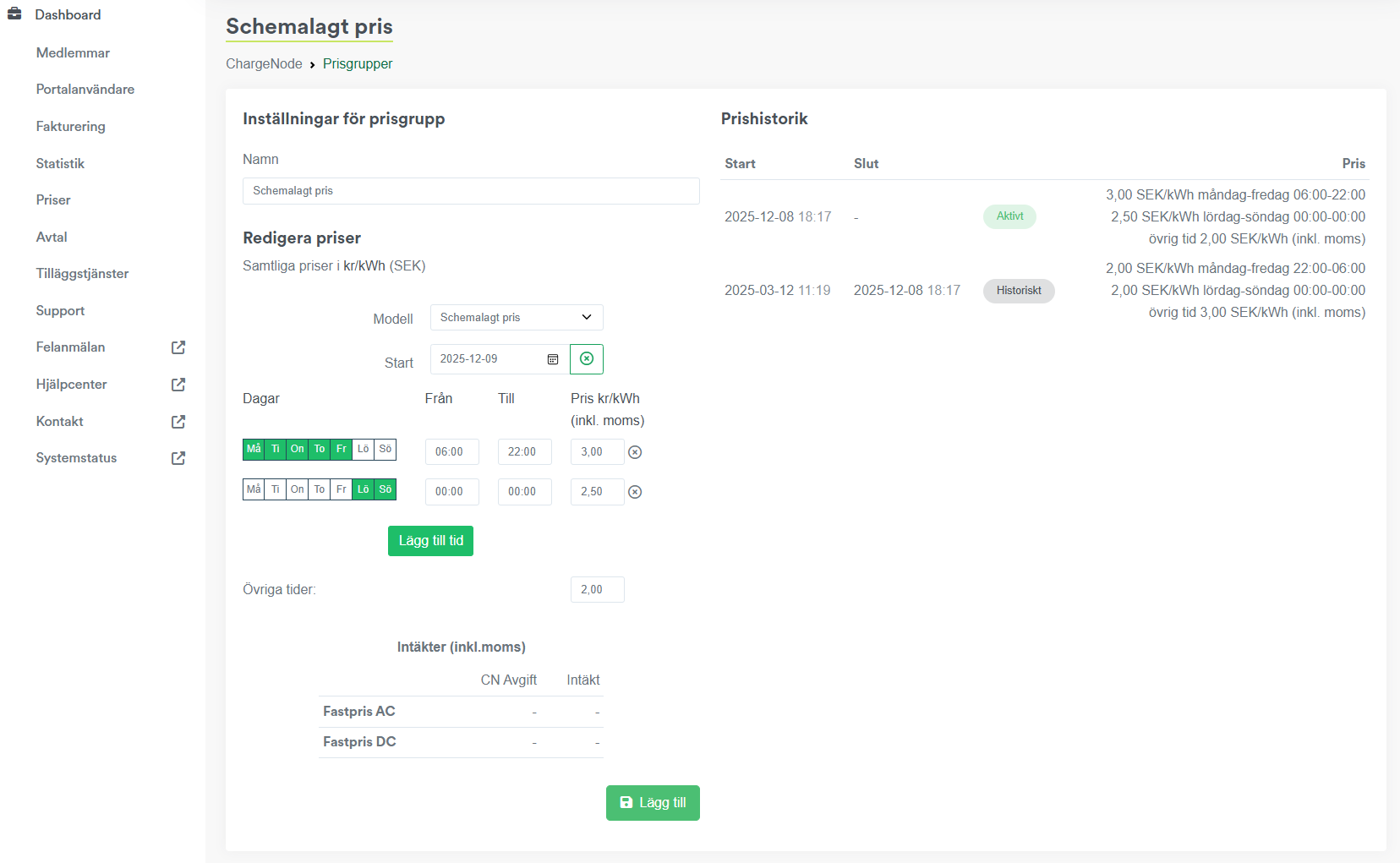
Here you can enter different prices depending on the day of the week and time of day. In the example below, a higher price has been chosen on weekdays between 06-22, a slightly lower price on weekends and the lowest price on weekday nights.
Video - Scheduled Price
Prices
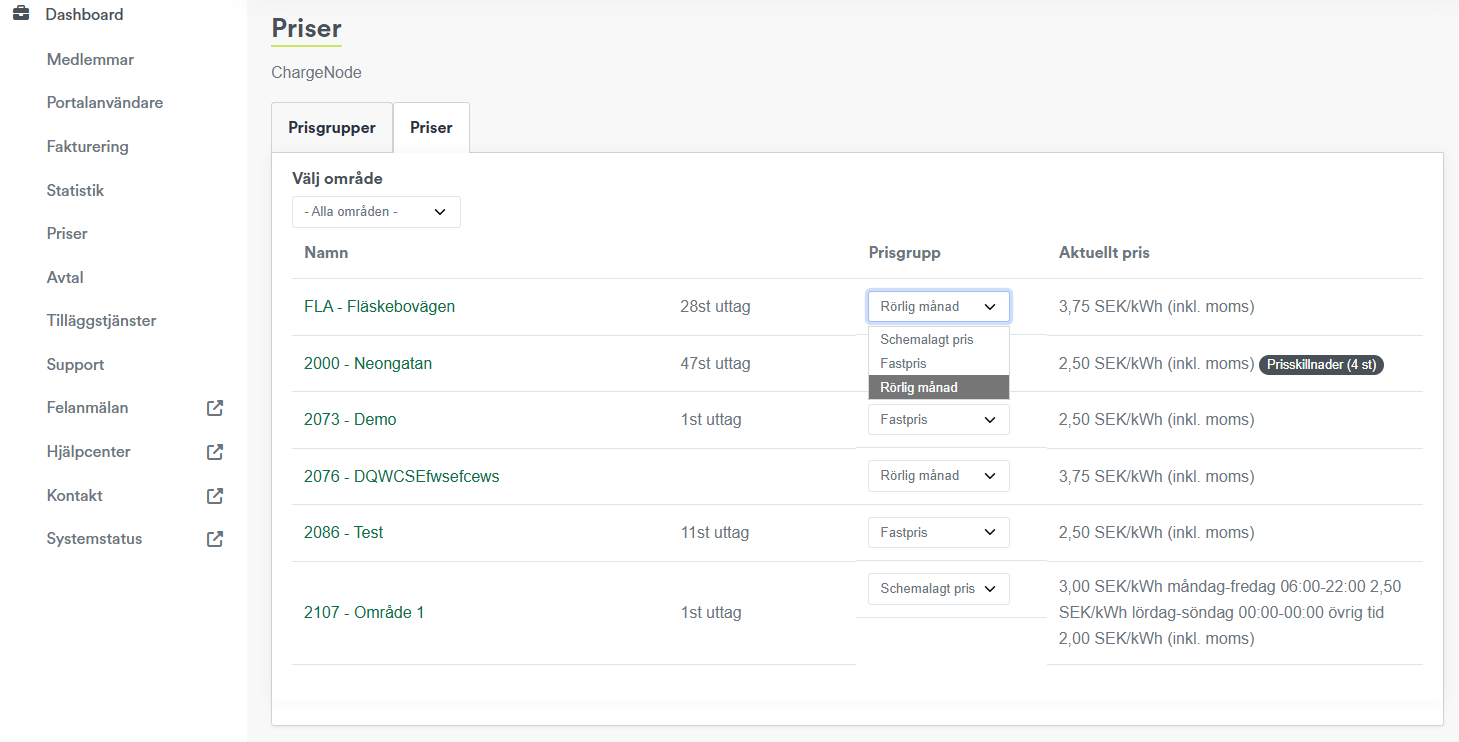
Under the "Prices" tab it is possible to select which price group each area should have.
Price per Outlet
When you click on the area from the previous view, you can also select a price group for the entire area here, but also set different prices for each individual outlet. In the example below, a combination of fixed price, variable price and scheduled price has been chosen. "Price difference" indicates that a price has been set on an outlet that deviates from the price group set for the entire area.