

In our portal under the menu "Members" you will find history, members and groups. This is where you manage invitations and handle permissions for access to charge in private areas.
History
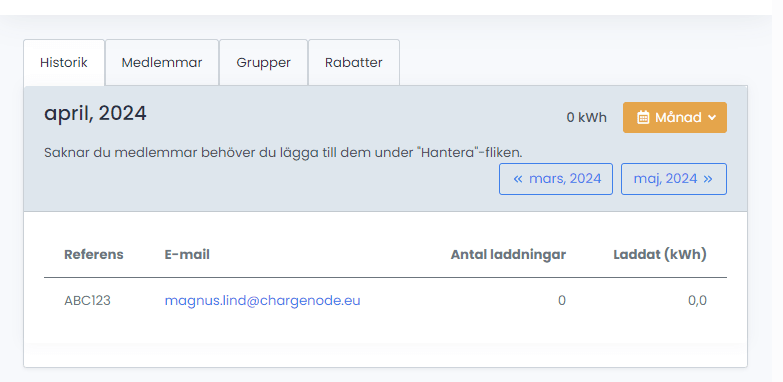
A view that presents the members connected to your site, how many charging sessions they have made in the past month and the amount of kWh charged.
Member Overview
Overview of all members. Add new members by entering their email address, reference, and then selecting which group the member should belong to.
By clicking on a member, information is displayed about which groups the user belongs to as well as a complete list of sites available to the member.

Icons show green if the user has downloaded the ChargeNode app and activated their account, and grey if the account is inactive, which is a good way to monitor whether invited members are getting started as they should.

Groups
Under groups there is an overview of all groups and the ability to see which members are linked to which group.

As an administrator, you can choose to invite members by distributing a code. As a company or housing association, you can have a routine/document for how a new user gets started, in which this code is communicated. When the user registers via the app, they can use the code to automatically join as a member and gain the right to charge/any discount. Should the code be misused, it can easily be updated by the portal administrator.

The Discounts tab is only active for customers with the charging service levels Relax & Business.
Invite Business Account Customers
If you have recurring charging customers at your facility who have a business account (e.g. pool cars, companies with company cars), you can invite them by adding them as a "Business Member". For this, the specific business account customer needs to contact you and share their unique 5-digit company code. You can assign the business account customer a specific price group if, for example, you wish to offer a price discount.

Please note that it is the Business Account customer who is themselves responsible for administering their own members and keeping their member list up to date.