

(To ensure that your RFID tag works at all ChargeNode facilities in Sweden, we recommend that you order a new tag via the app. It is possible to connect an existing tag from another operator/manufacturer to ChargeNode's system, but this should only be seen as a temporary solution during a transition period – external tags may stop working in our network in the future.)
Related articleHow do I order a new RFID tag?You order an RFID tag in the app for 100kr/piece. Go to Menu > RFID, > New order, fill in the details and pay directly via Apple/Google Pay...To register a tag you already have, you must physically be at a ChargeNode charger (box, pole or AMP5). Follow the steps below:
1. Go to Menu>RFID in the ChargeNode app
Here you select Add RFID tag
Then select Add existing
2. Identify your charger
Choose one of the following ways to find the charging outlet:
Scan QR code
Open the ChargeNode app and scan the QR code on the charging outlet with your phone camera.
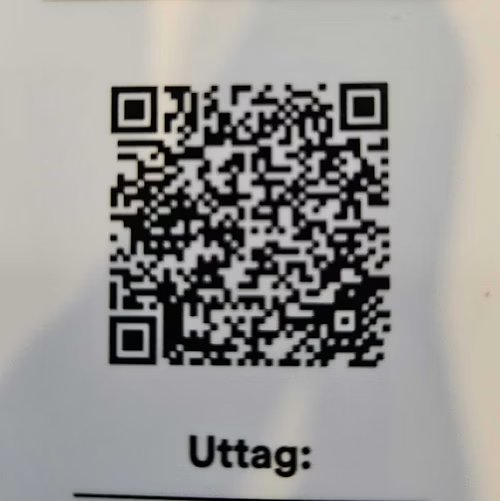
Note! Make sure the app has permission to use the camera.
Enter area code and location number
Enter the area code manually in the app.
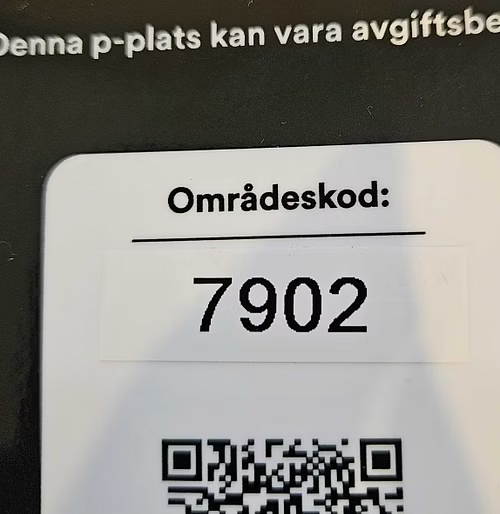
The app displays all outlets in the area. Filter by location number to find the correct outlet.
Show nearby chargers
The app displays charging areas within 3 km of your position.
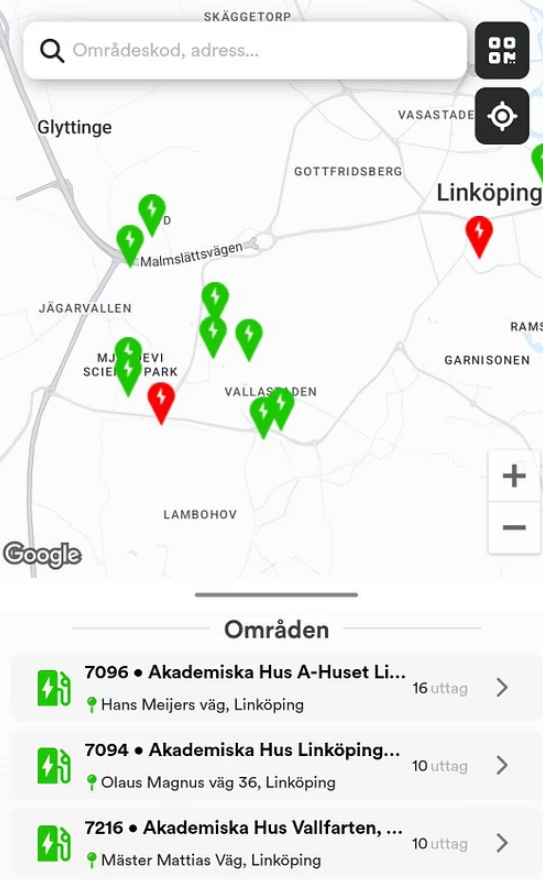
Requirement: Allow GPS/location services in the app.
Poor signal? Press the refresh button (↻) to update your position.
2. Register the tag
Hold the tag against the reader:
Place your RFID tag or fob against the charger's reader.
Wait until you hear a beep or see a visual confirmation (e.g. green light) on the charger.
Remove the tag:
Lift the tag away from the reader when confirmation is given.
Confirm in the app:
Follow the instructions in the app to complete the registration.
Verify that your RFID tag is correctly linked to your account.
All done!
Your RFID tag is now registered and ready to use.
You can view the tag under "RFID tags" in the app.