RFID tags linked directly to the company account
If RFID tags are linked directly to the company account, they are already pre-registered and charging can be started immediately without any additional settings. RFID tags for the company account are currently ordered via email to support@chargenode.eu by an administrator.
Charge via app
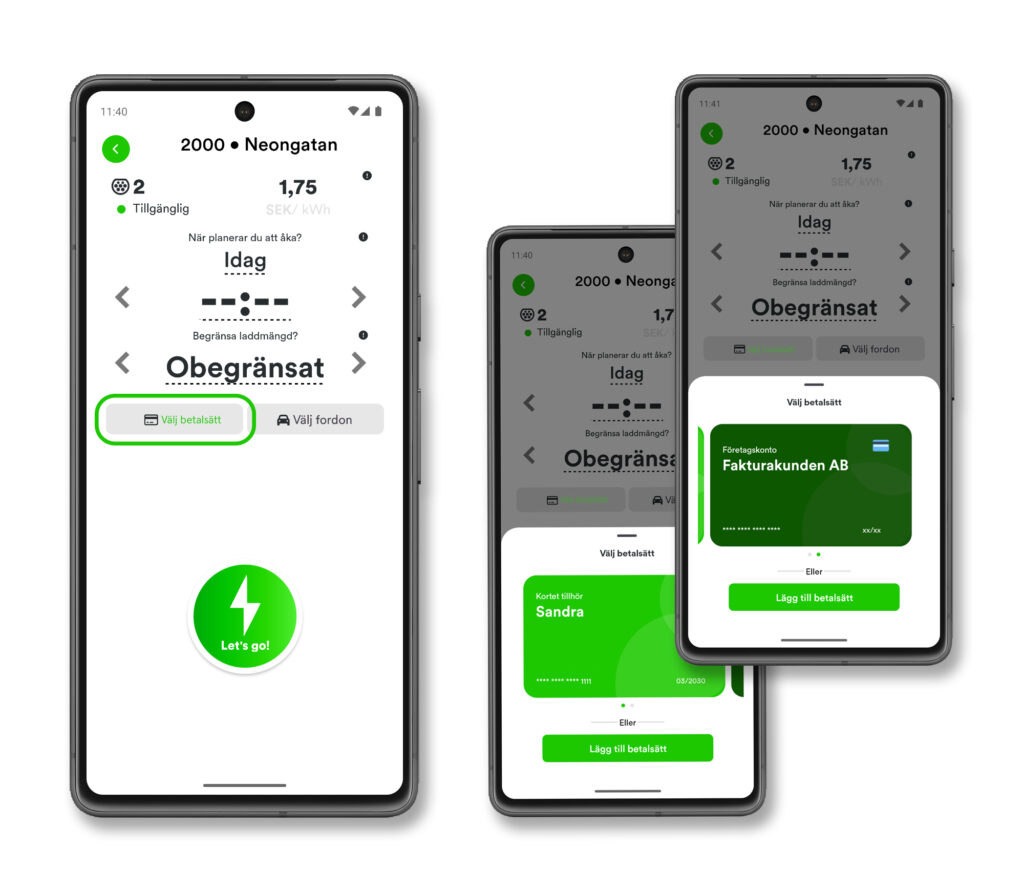
Users with their own accounts in the ChargeNode app can be authorized to charge on the company account. If the user does not have their own payment card registered, the charging will automatically be billed to the company account. If the user, on the other hand, has their own payment card registered, a payment method must be selected in the app before charging starts, either private card or company account, so that the charging is invoiced correctly. This way, the same user account can be used for both private and company charging.
RFID tag on user account
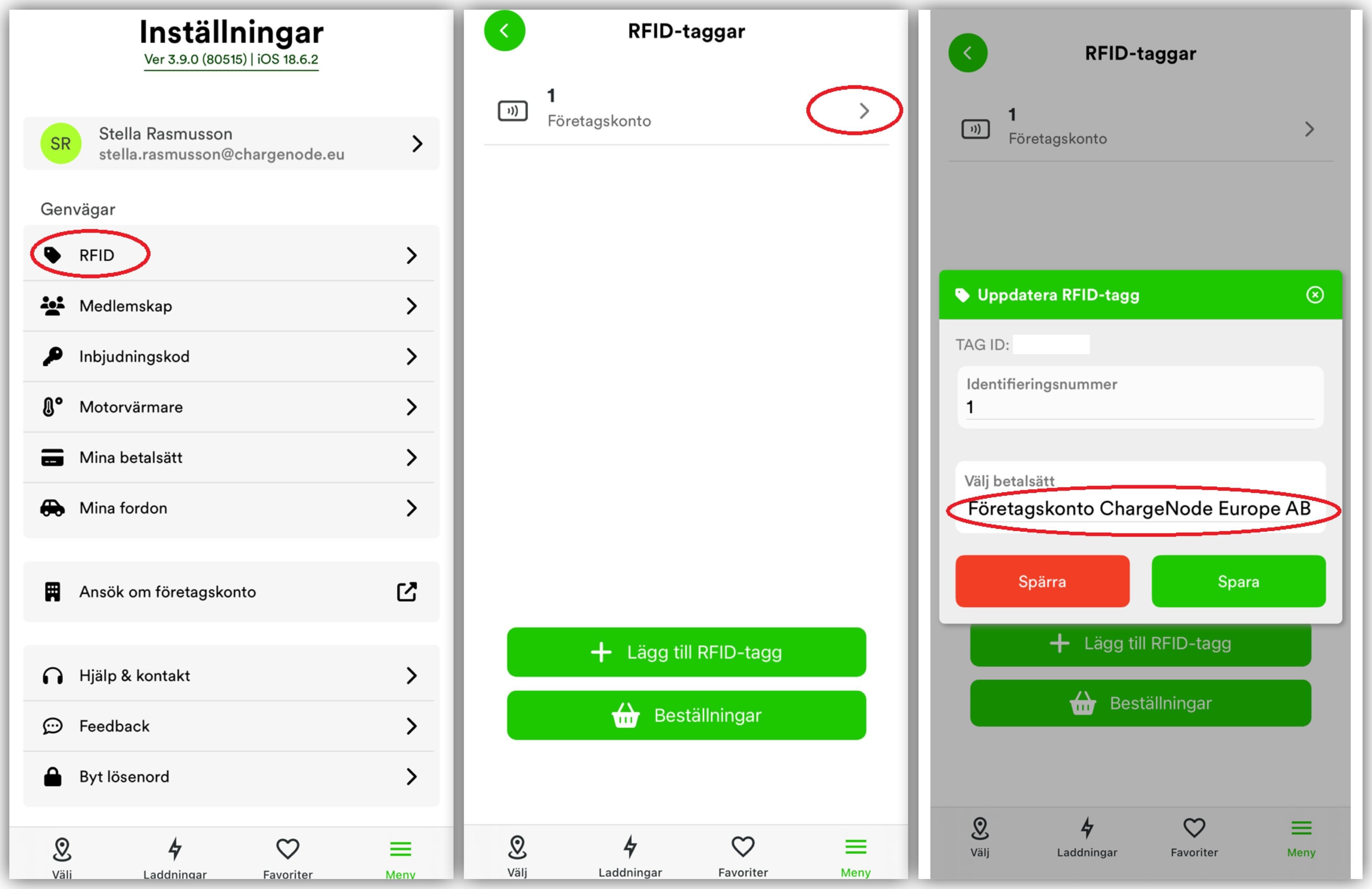
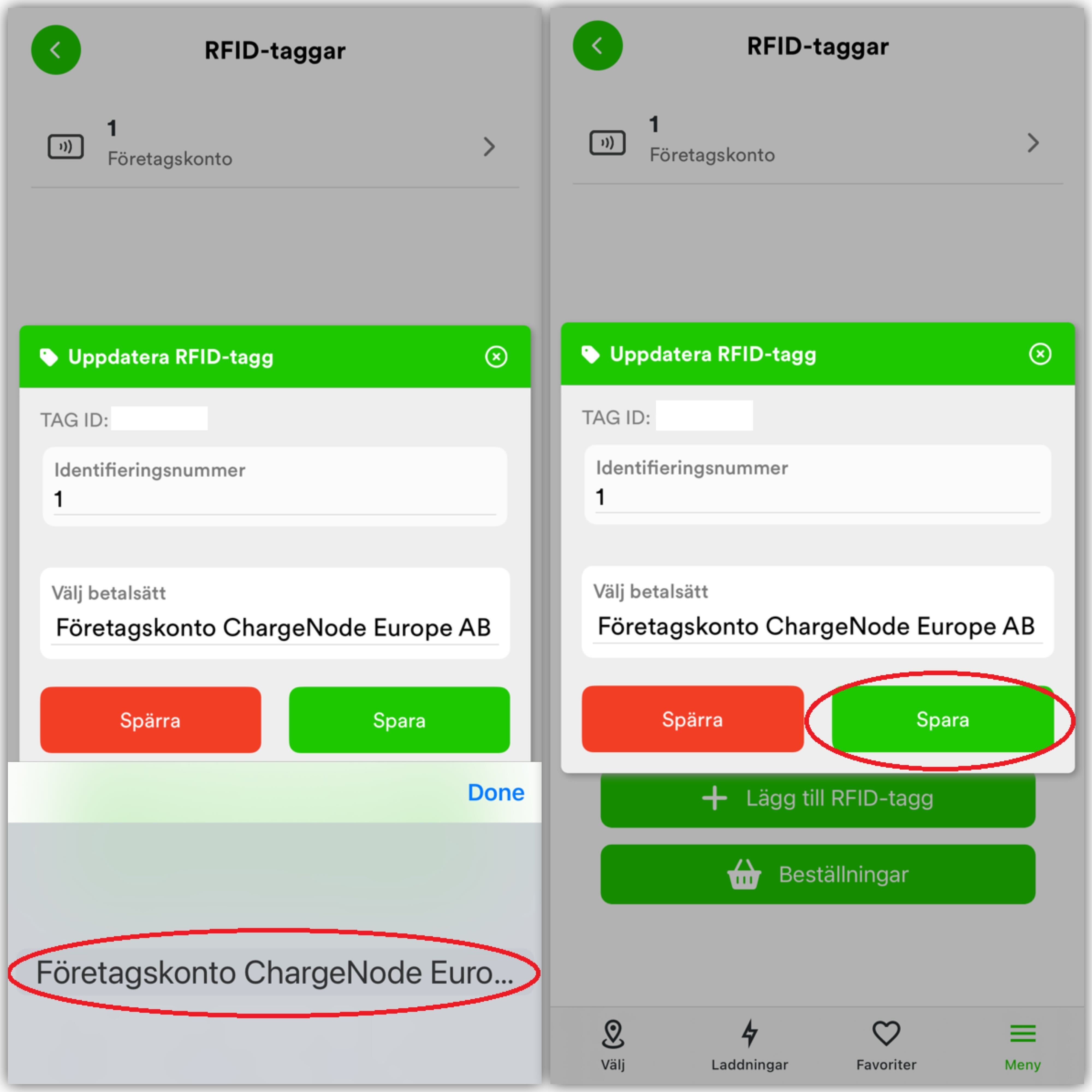
A user can also have their own RFID tag on their user account that becomes authorized for the company account, if the email address is registered as a member. If the user does not have their own payment card registered, the charging is automatically deducted from the company account. If the user has their own card registered, they need to select in the app under RFID which payment method should be used for the tag, either private card or company account. See the images below (No personal payment card is registered and therefore only the company account is available as a payment option).