

What is self-billing?
Self-billing means that ChargeNode issues your customer invoice for the electricity consumed at your facility. Please note that you as the seller are always responsible for ensuring that the invoice details are correct, even if ChargeNode administers the actual invoice issuance. The self-bill serves as your accounting basis for the sale of electricity, handling of VAT, and payment of compensation for consumed electricity. It is therefore very important that the information is correct.
Payment is made when the accumulated amount for self-bills reaches at least 5 000 SEK excluding VAT.
Self-bills
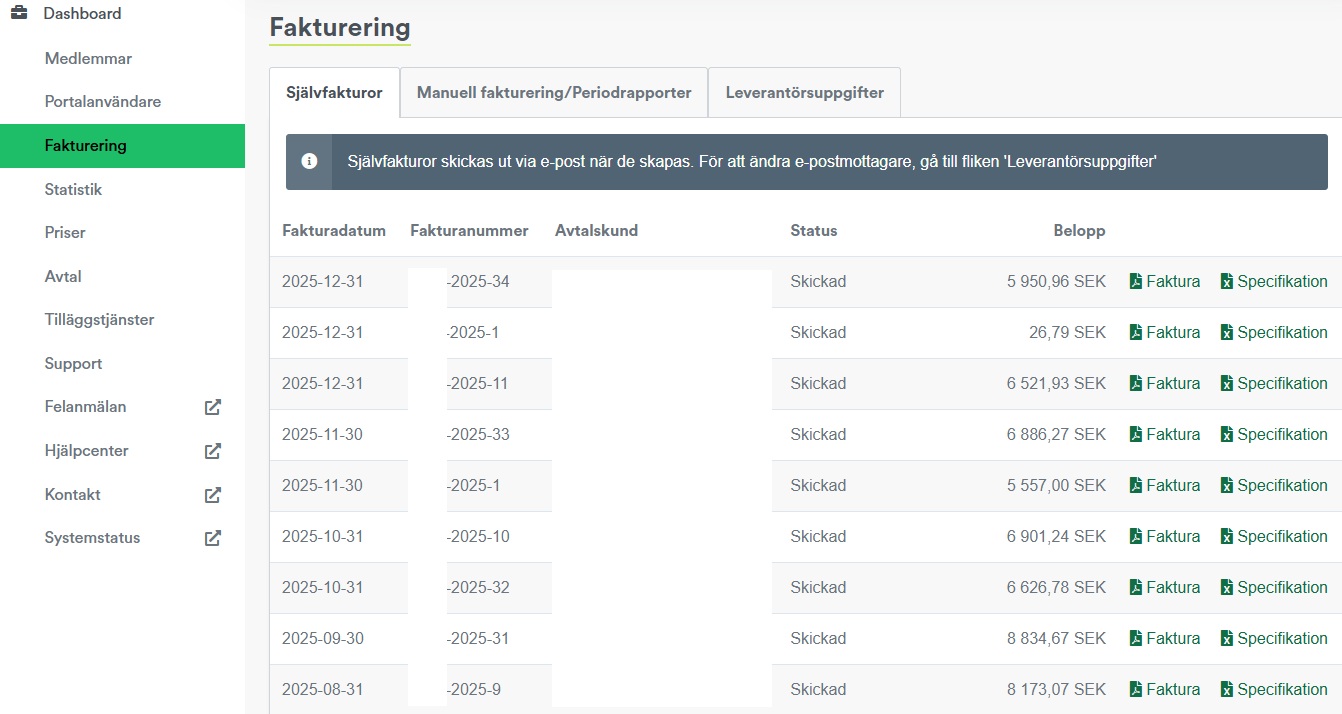
Under the menu "Invoicing" you have access to self-bills. Here you can see the invoice date, invoice number, contract customer, status and amount. It is possible to download self-bill documentation as a PDF for accounting purposes, as well as specifications that can be exported to an Excel file, showing all sessions linked to the invoice. Invoicing and address details are also available and can be edited under "Configure self-billing".
Note: The tab "Manual invoicing/period reports" is only visible if you have previously had manual invoicing and have since switched to automatic payment via self-billing. Under the tab, information about previous payments is available.
Images for charging service agreement Relax:
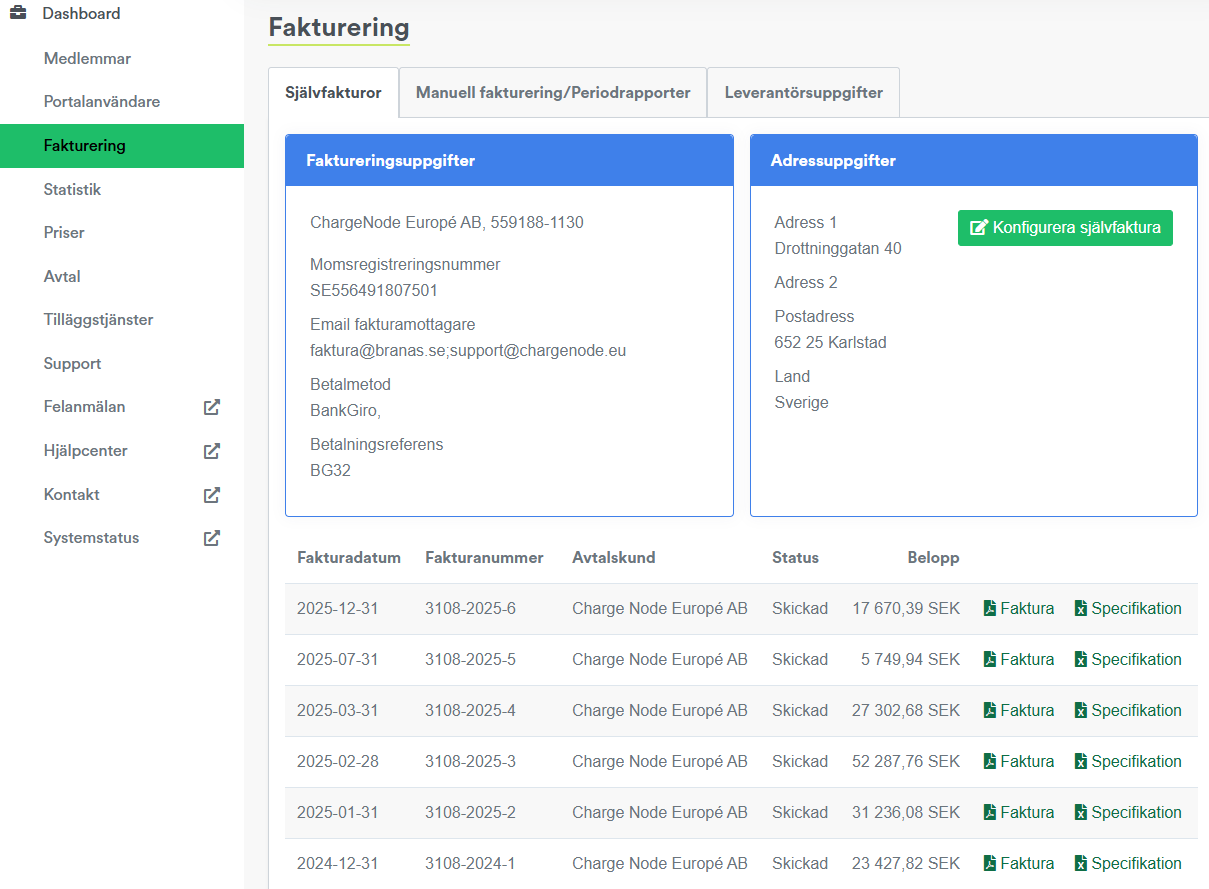
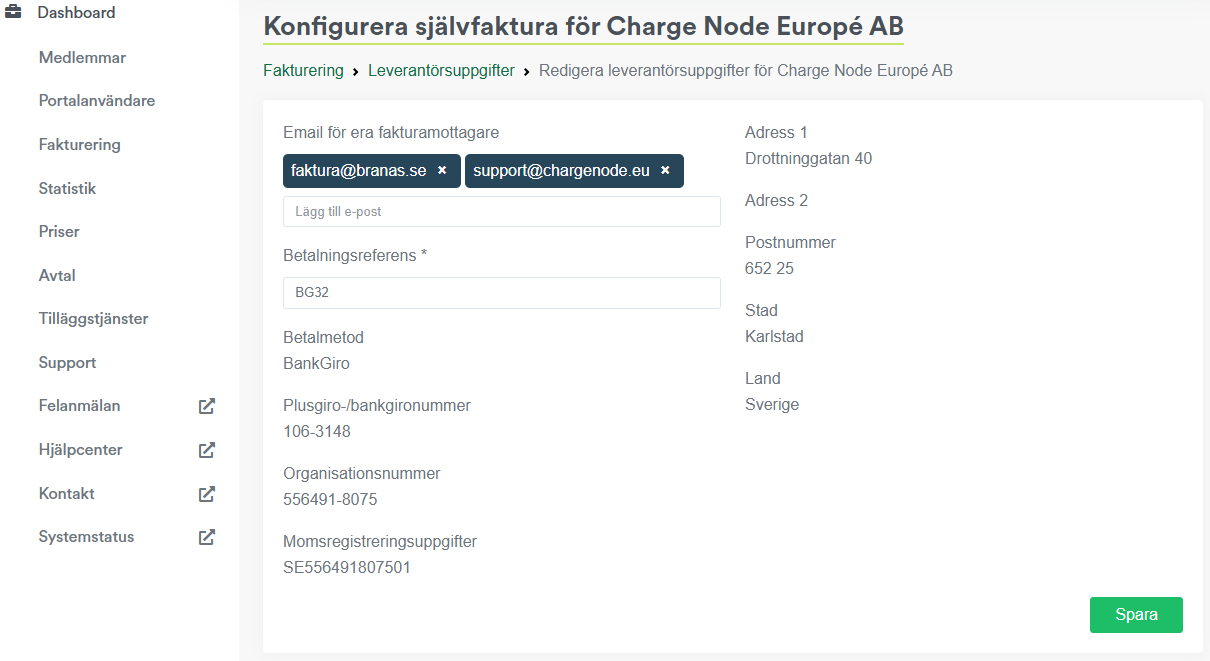
Under "Configure self-billing" it is possible to change the invoice recipient and payment reference, and multiple recipients can be added. For changes to other details, please contact support@chargenode.eu.
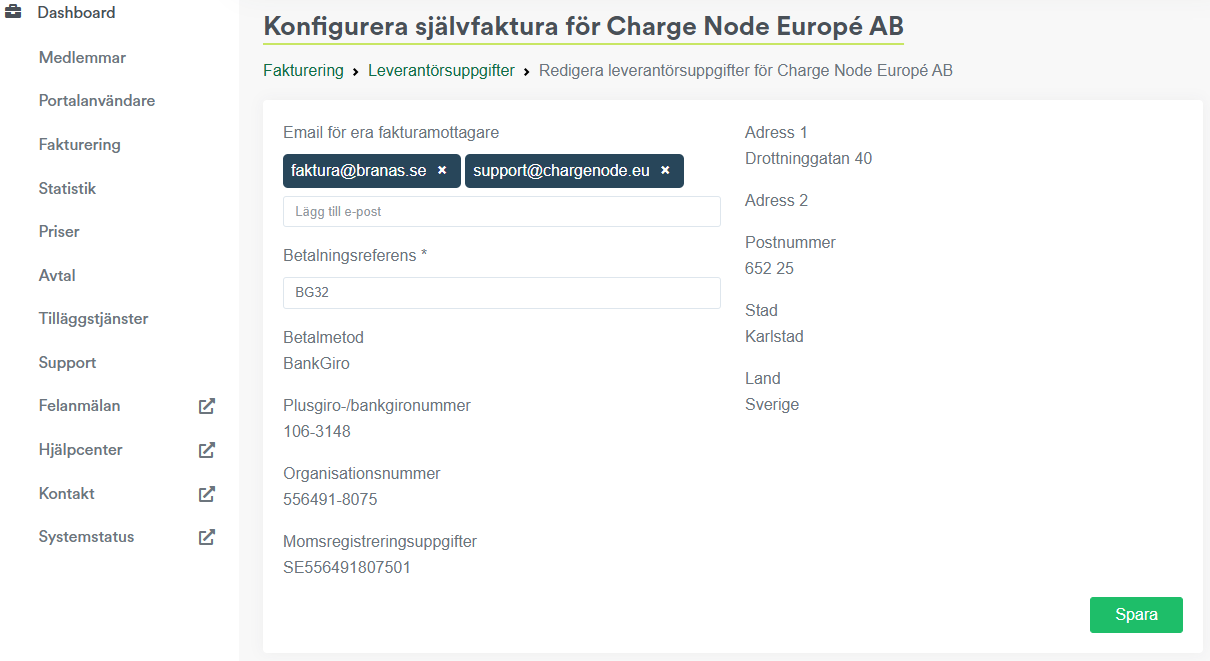
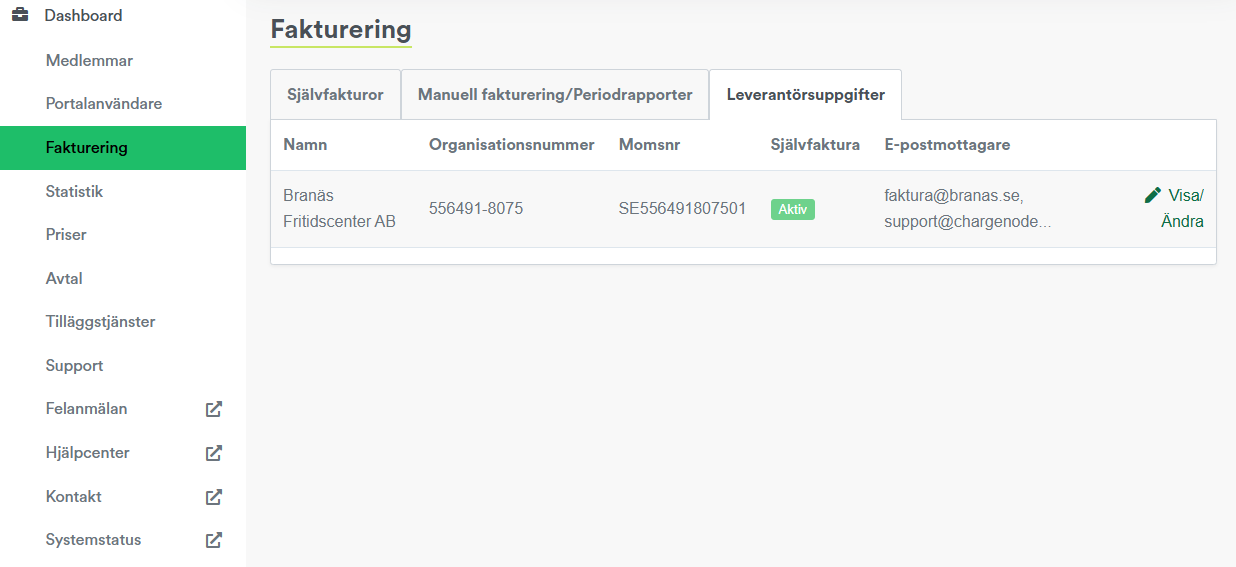
Via "Supplier details" there is an overview of the customer, and here it is also possible to edit self-billing details by clicking "View/Edit".
Images for charging service agreement Business:
Via "Supplier details" there is an overview of all contract customers, and here it is possible to edit self-billing details for each contract customer by clicking "View/Edit".
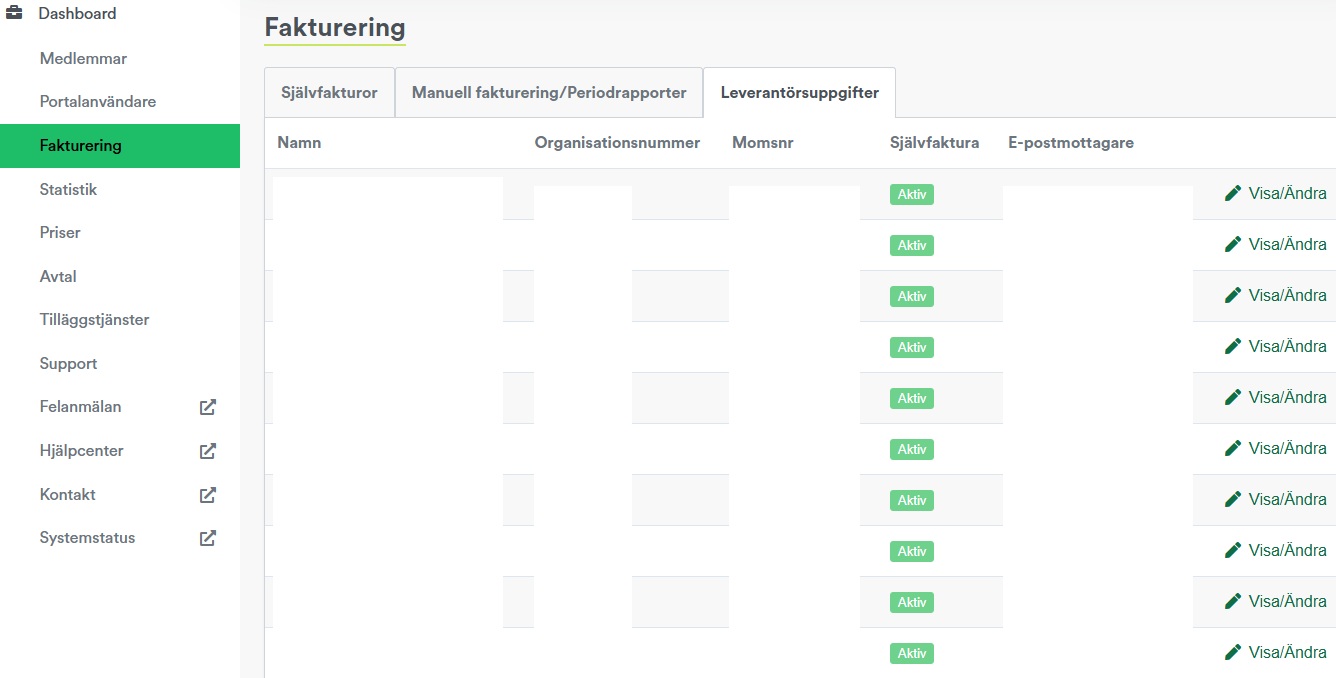
By clicking "View/Edit" you will be taken to "Configure self-billing". Here it is possible to change the invoice recipient and payment reference, and multiple recipients can be added. For changes to other details, please contact support@chargenode.eu.
Example of self-bill documentation:
