Here you will find information about your area or areas. Click on the area you wish to see more about.

An overview of the selected area is displayed here.
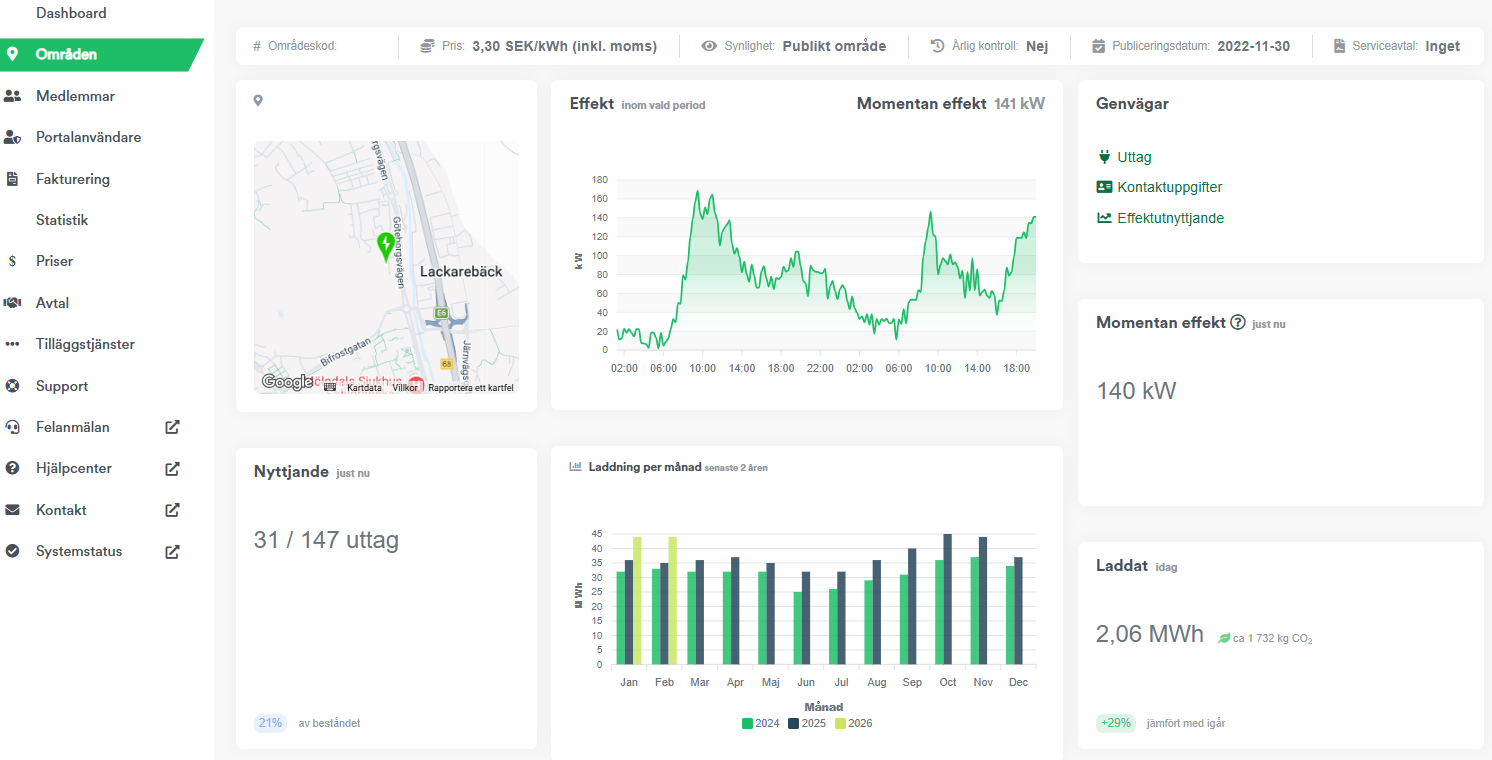
Shortcuts
Outlets
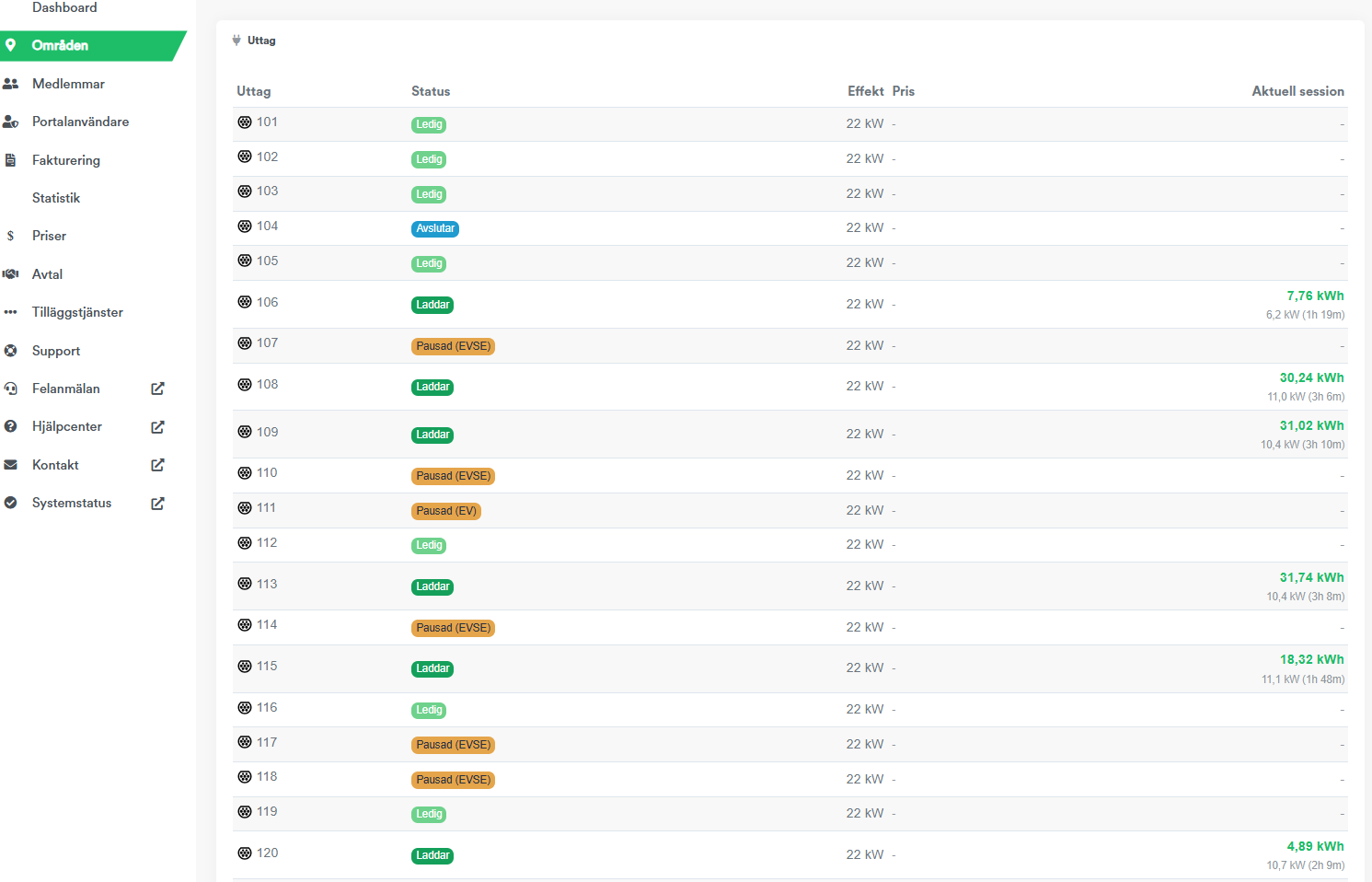
Outlet status is displayed here in real time. You can see whether an outlet is available, charging, paused, or if there is a possible error code associated with the outlet. You can also view information about current charging sessions, such as charged kWh, current power in kW, and charging time.
Paused (EVSE): The charger has paused the charging.
Paused (EV): The vehicle has paused the charging.
Contact details
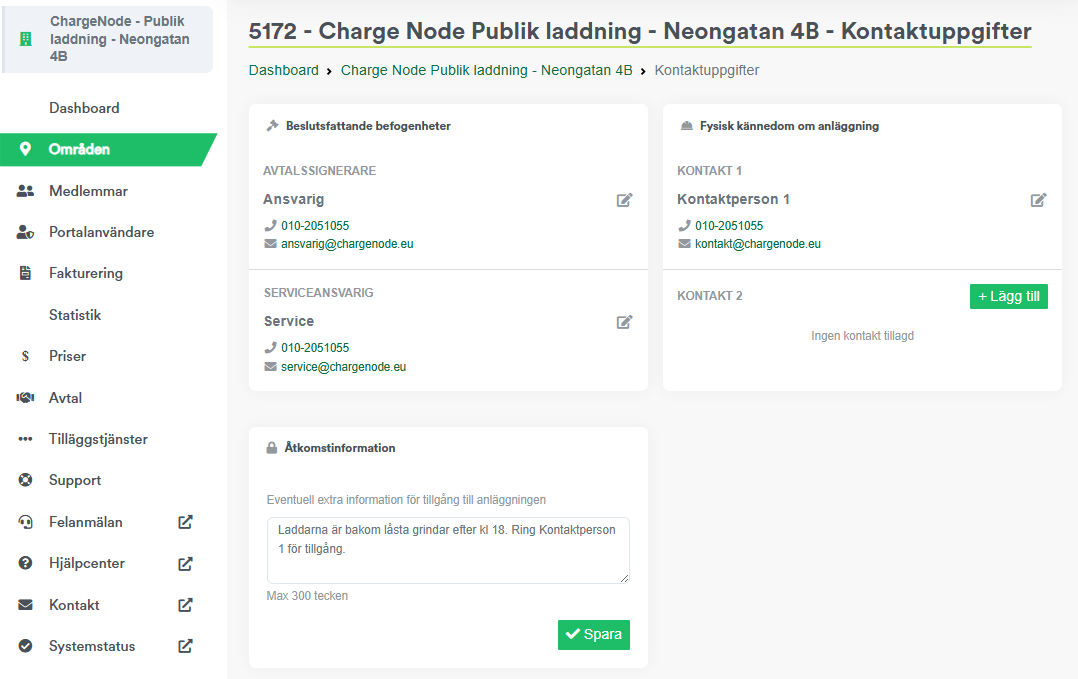
Here you can edit contact details. Make sure the information is up to date so that we can assist you in the best possible way when needed.
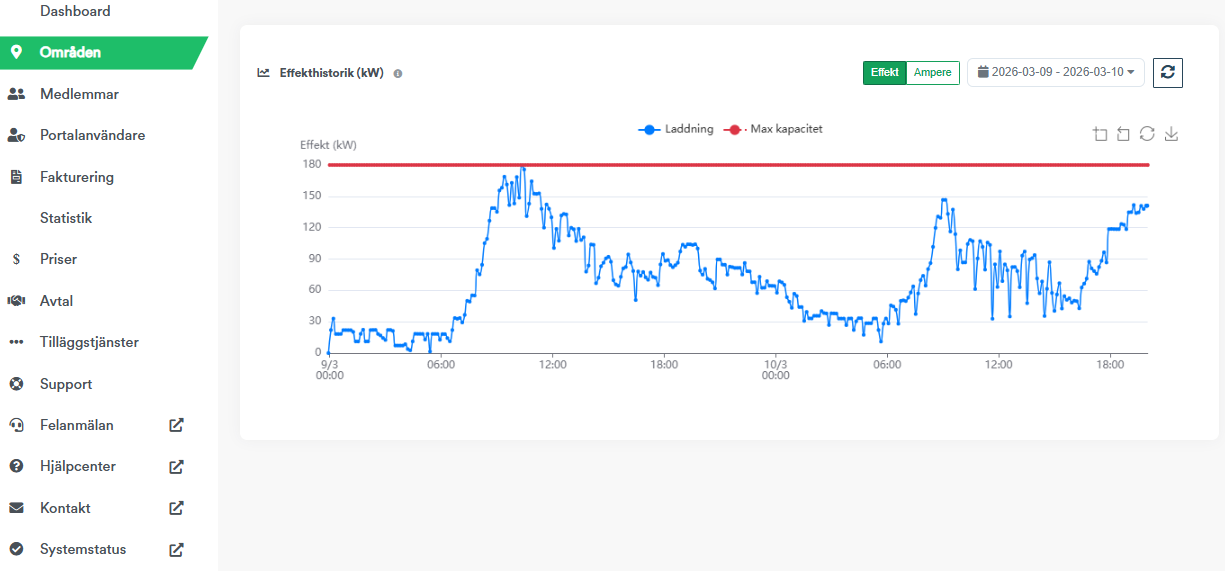
Power utilization
Power history in relation to the area's maximum capacity is displayed here. You can filter by power or ampere and select different time intervals.